Systems, not just websites. That is the line on my homepage, and it is the whole point of this article.
A website shows your business. A system runs it every day. If you take bookings, send estimates, track jobs, and collect payment, the difference between those two things is the difference between a brochure and a tool your staff opens every morning.
I build systems, not just websites, and not software as a service. The client owns their own software and data, built from a template I have already proven out and fitted to that business, on their own domain. This article walks through the three systems I have live right now, so you can click through each one and see the benefit instead of taking my word for it.
Try them yourself:
- Contractor System: https://demo.michaelsoriano.com/contractor-system/
- HVAC System: https://demo.michaelsoriano.com/hvac-system/
- Pawfect Day Grooming: https://demo.michaelsoriano.com/pet-grooming-system/
A website is read. A system is used.
A website is read, usually once, by someone deciding whether to call you. A system is used daily, by your staff and by your customers, for bookings, estimates, jobs, and payment.
The contractor demo shows estimates and approvals. The HVAC demo shows dispatch and service history. The grooming demo shows booking and the day schedule. Those are not pages. They are the work itself, in one place, instead of spread across notes, texts, and memory.
That is the test I would apply to any system. If your team does not open it every day, it is a website with extra steps.
Owning beats renting
With software as a service, you rent access. The vendor can change the price, the features, or the terms, and your business has to live with it. You are a tenant in someone else's product, and the exit is an export screen if you are lucky.
Owning your own software flips that. The client owns their own software and data. The real version of each demo is built per client, with their own database and domain, hosted and maintained by me. It is not a shared account on someone else's product, and it does not change under you because a vendor decided to change its pricing.
The contractor demo makes the point on its first screen. The owner dashboard has estimates, change orders, selections, and invoices in one nav, for that contractor's jobs, not a generic account shared with every other trade.
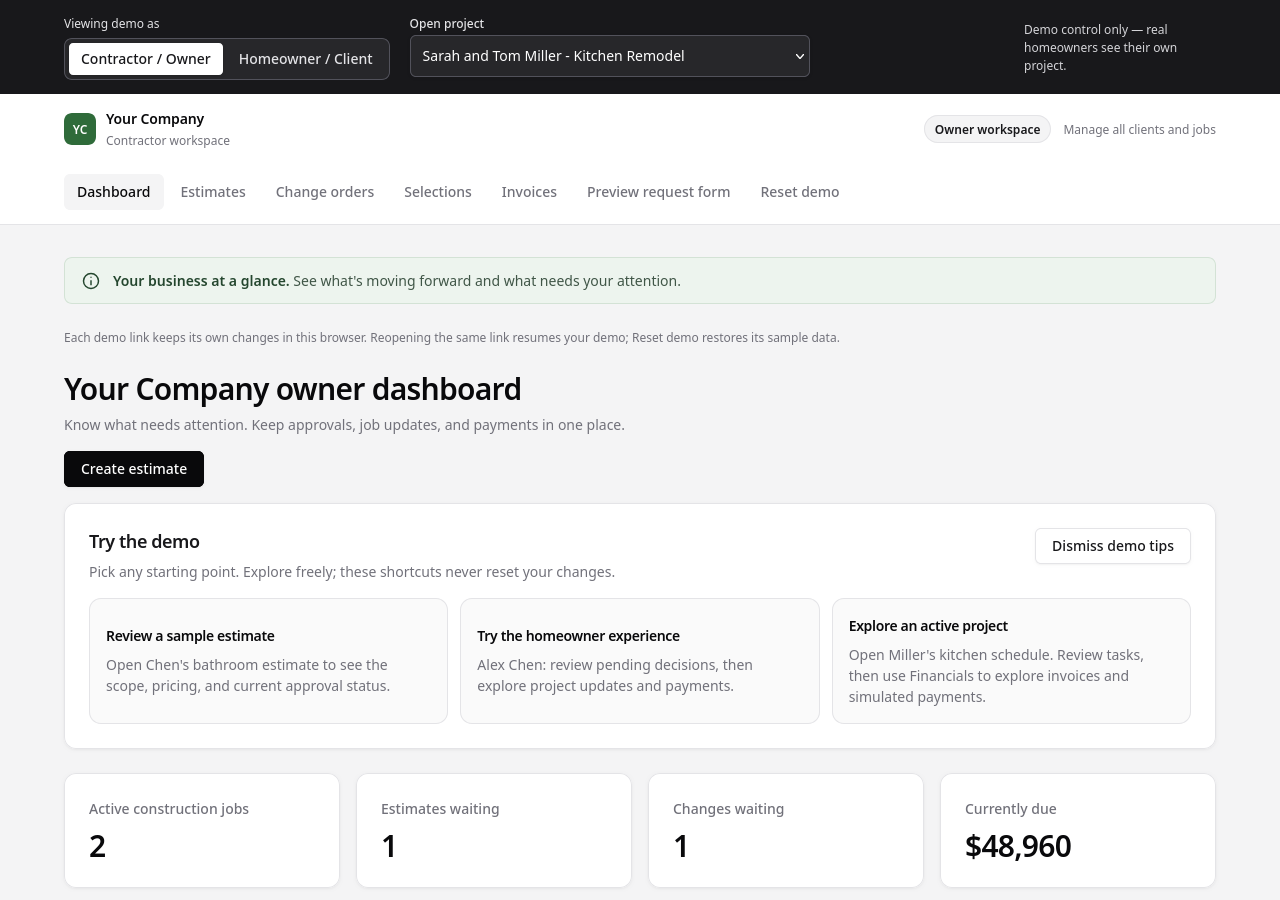
The screenshot above is the contractor demo, captured from the live demo. The jobs, amounts, and names in it are demo sample data, not a real business, and they can look different on your visit, because the demo keeps its own sample data in each browser. What stays the same is the shape of it: one dashboard, your jobs, your numbers.
Your data stays yours
Ownership means something practical: customer records, job history, and invoices live in your own system, not locked inside a vendor's export screen.
A pet record in the grooming demo carries breed, notes, allergies, a preferred groomer, and a next due date. An HVAC service history carries what was installed, what was quoted, and what was done on each visit. Those records build value over repeat visits. The fifth visit to a customer is worth more than the first, because you already know them, and that knowledge is yours, not a subscription feature you lose if you stop paying.
That is also why the data question matters before you buy, not after. Ask where your customer records live, and what happens to them if you leave. If the answer is an export file and a goodbye, you never owned them.
Built for your workflow, not fitted to a generic app
The code is reused as a template per client, then fitted to that trade. That is the honest version of how this works. I am not writing every system from scratch, and I am not handing three different trades the same generic form either.
A contractor, an HVAC company, and a groomer get different flows because they do different work. The contractor demo has change orders and selections, because a remodel changes as it goes. The HVAC demo has equipment quotes and maintenance plans, because a system has a service life and a next visit. The grooming demo has pet records and pickup texts, because a groom ends with a dog going home.
Compare the three demos side by side and you can see it. Same idea, different workflow, fitted to the trade.
Customers serve themselves
The other side of a system is the customer. Book online, approve an estimate, check a job or a groom status, pay at pickup, without calling the shop for routine things.
The clearest example is the grooming demo. An owner books online, the shop sees the day, the groomer taps Ready, and the owner gets a text: "Bella is ready for pickup." No phone tag, no guessing, no one calling the shop to ask if the dog is done.
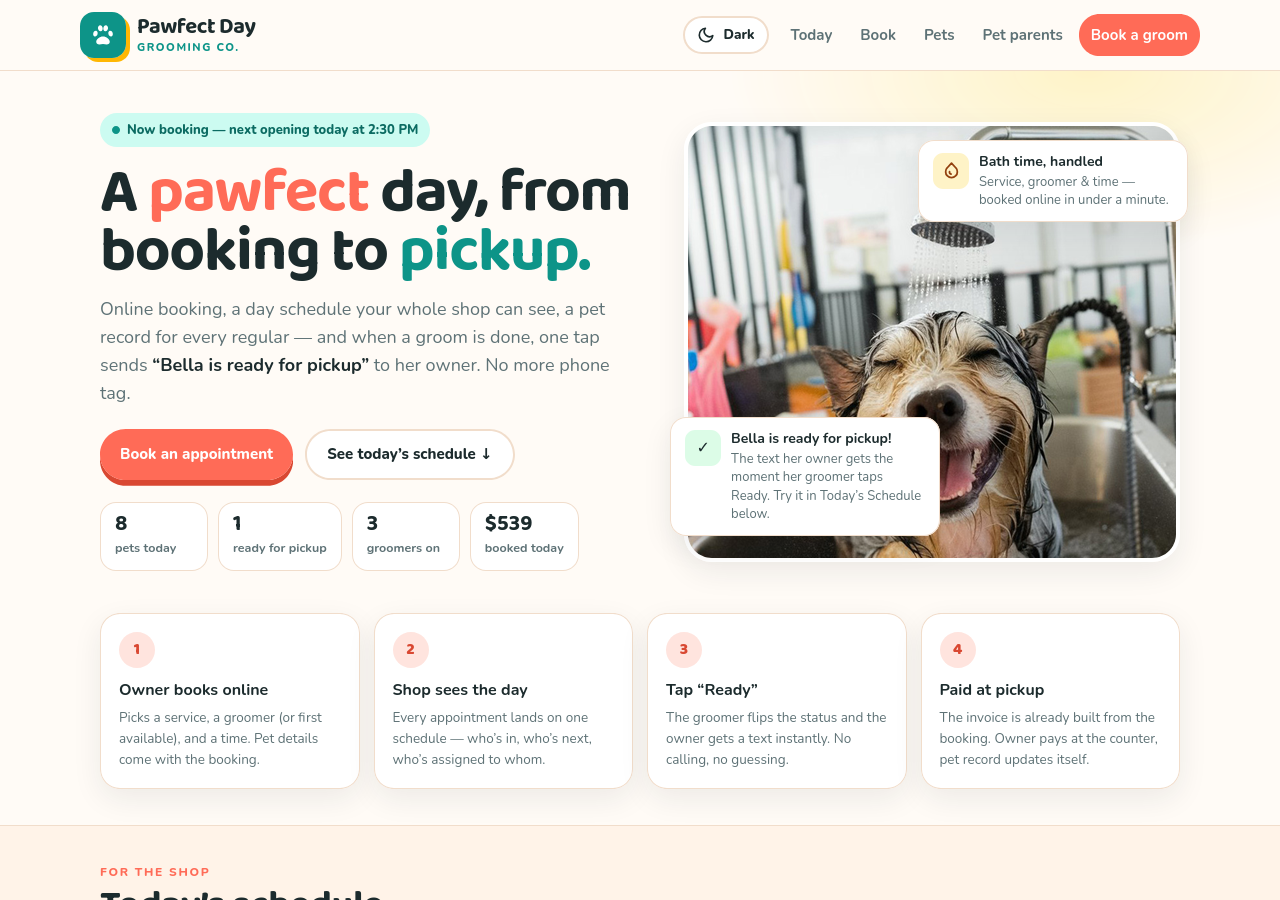
The screenshot above is the grooming demo, captured from the live demo. The four steps are the whole flow: owner books online, shop sees the day, tap Ready, paid at pickup. The pet counts and amounts in it are demo sample data, not a real shop's day.
The contractor demo has the same idea on the customer side, with a client portal where a homeowner reviews pending decisions and approves an estimate. The routine work moves to the customer, and the phone is left for the conversations that actually need a person.
The owner sees the whole day in one place
The owner side is the mirror image. One dashboard or schedule with jobs, estimates, requests, and invoices, instead of notes, texts, and memory.
The HVAC demo opens on a clear view of the day: the calls today, what is waiting for approval, what maintenance is due, and what payment is due. The contractor demo opens on the jobs and what is currently due. The grooming demo opens on the day schedule, who is in, who is next, and who is assigned to whom.
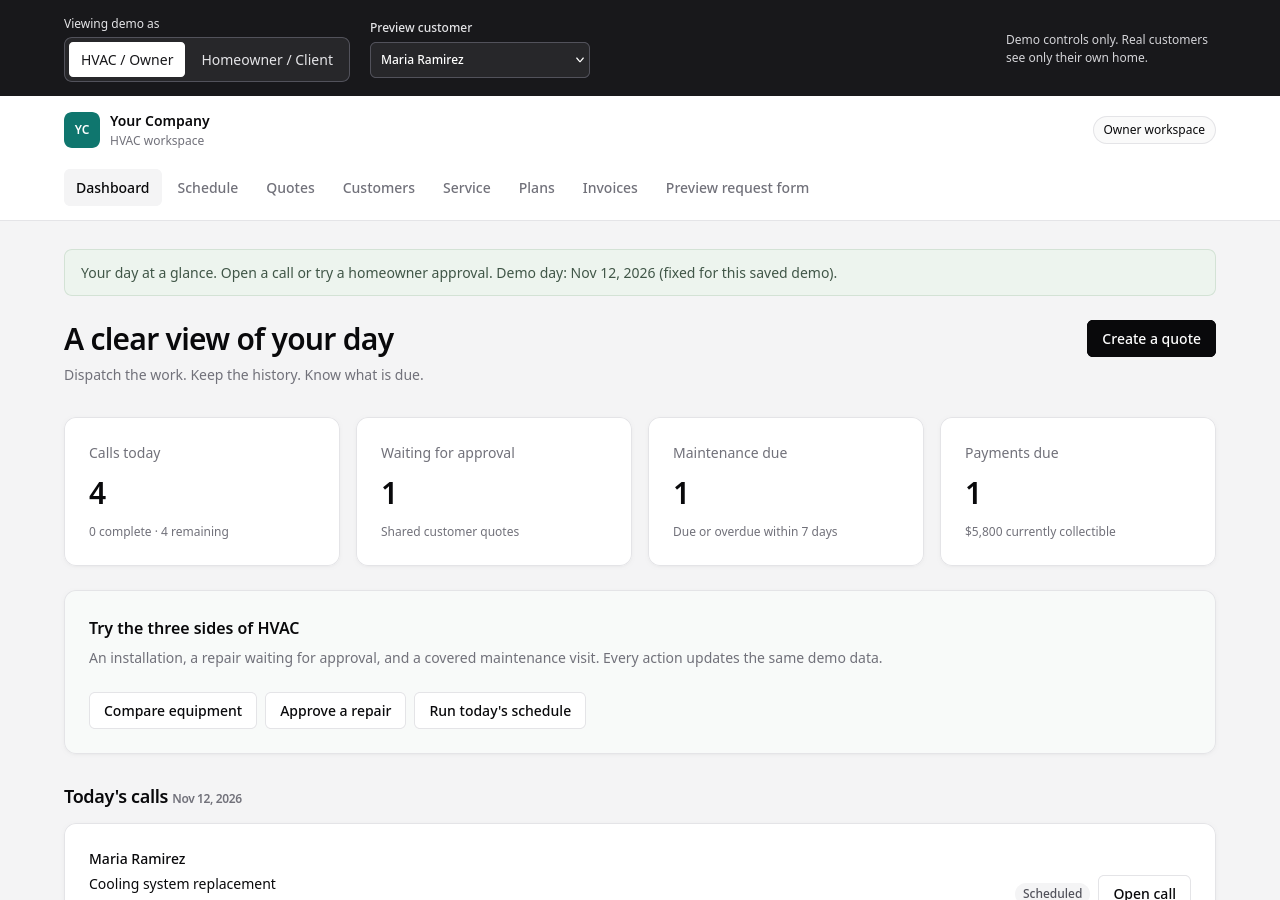
The screenshot above is the HVAC demo, captured from the live demo. The calls, approvals, and amounts in it are demo sample data, not a real company's day.
The point is not the numbers. It is that the owner starts the day knowing what is happening, instead of reconstructing it from messages.
What it costs, and what happens next
The published prices on my homepage are the frame. A system starts from $3,000 one-time, with a care plan from $100 a month for hosting, updates, and keeping everything running. A simple brochure site is the Launch option instead, from $1,500 one-time.
What happens next is the same process for every system. I build a free working mockup first. You click through it with your staff, and approve it, or tell me what is wrong with it. Then the real build is launched on your domain.
That mockup step is the whole pitch, really. You do not have to imagine what the system will feel like, or trust a sales page. You use it before you buy it.
Who this is for, and who it is not for
This is for local service businesses that run on repeat jobs, bookings, or estimates every day. Contractors, HVAC companies, groomers, and trades like them. If the work comes in every day, a system pays for itself in the time it stops wasting.
It is not for a business that only needs a simple brochure site. If all you need is a few pages that tell people who you are and how to reach you, that is the Launch option, and a system would be more than you need.
If you are in the first group, pick the demo closest to your trade and click through it. That is the fastest way to know whether owning your own software is worth it for you.
- Contractor System: https://demo.michaelsoriano.com/contractor-system/
- HVAC System: https://demo.michaelsoriano.com/hvac-system/
- Pawfect Day Grooming: https://demo.michaelsoriano.com/pet-grooming-system/